openagentics

Install

Up and running in five minutes.

One command, your infrastructure, your models — then see exactly what it looks like running. Every tab below is a real deploy. Click any image to expand.

curl -sSL https://install.openagentics.io | bash

One command, a guided wizard

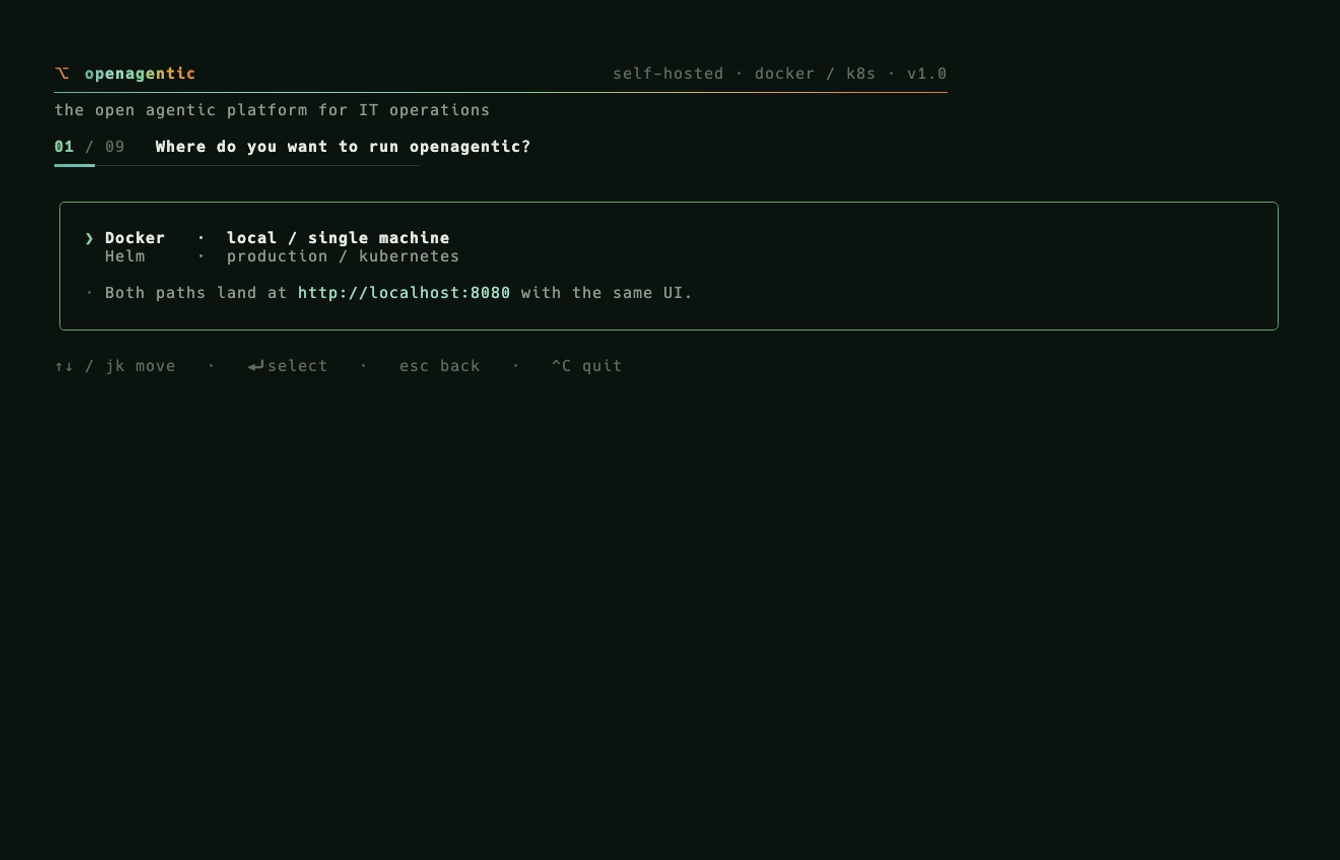
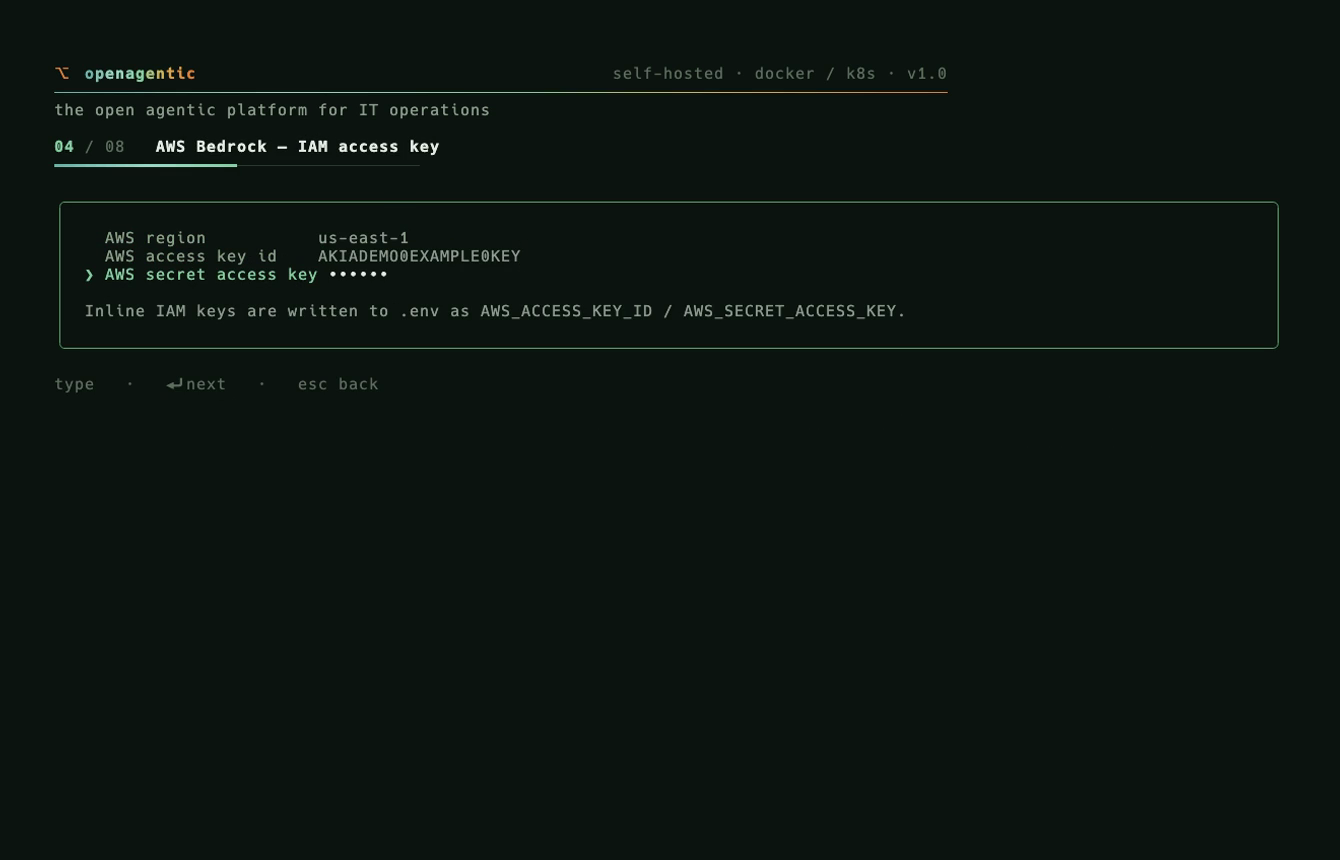
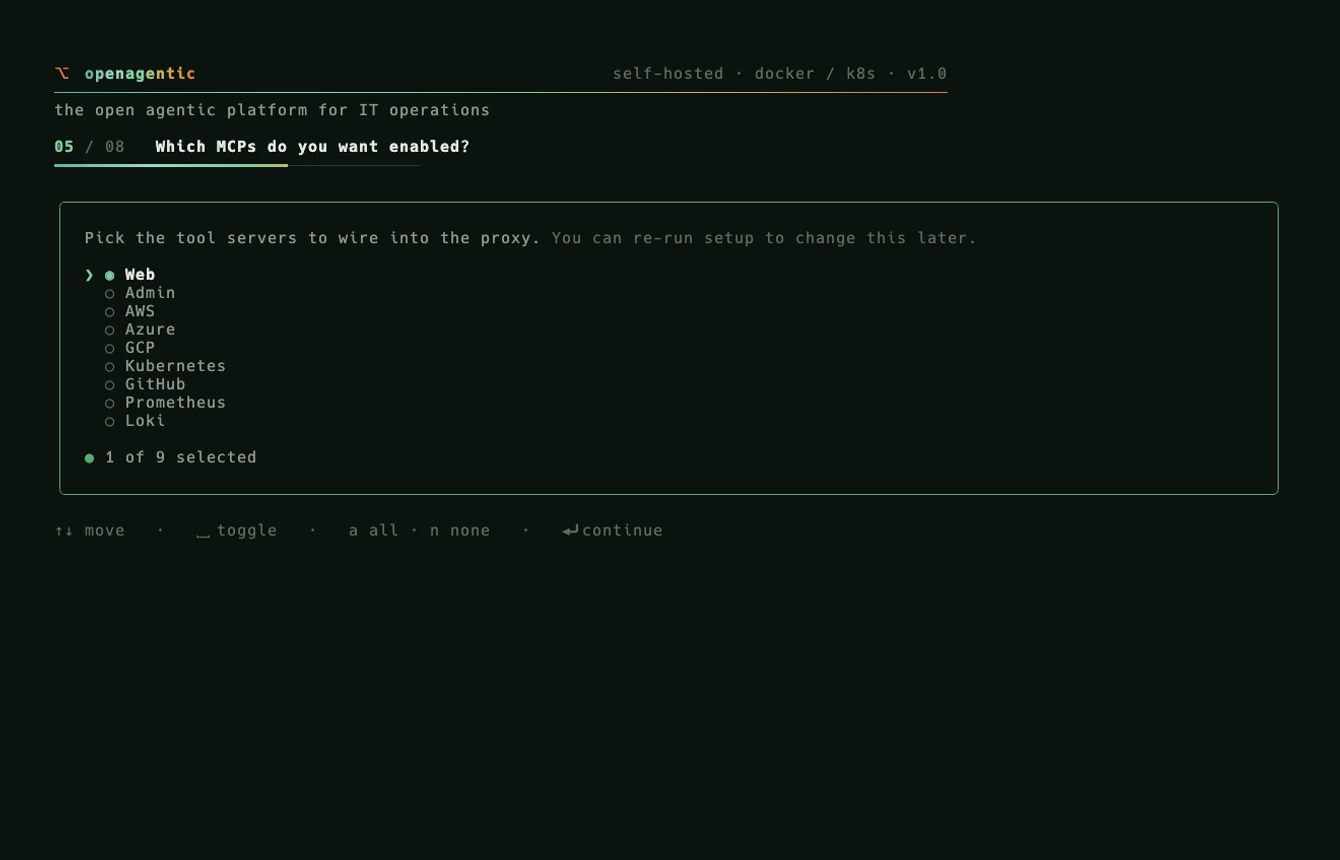
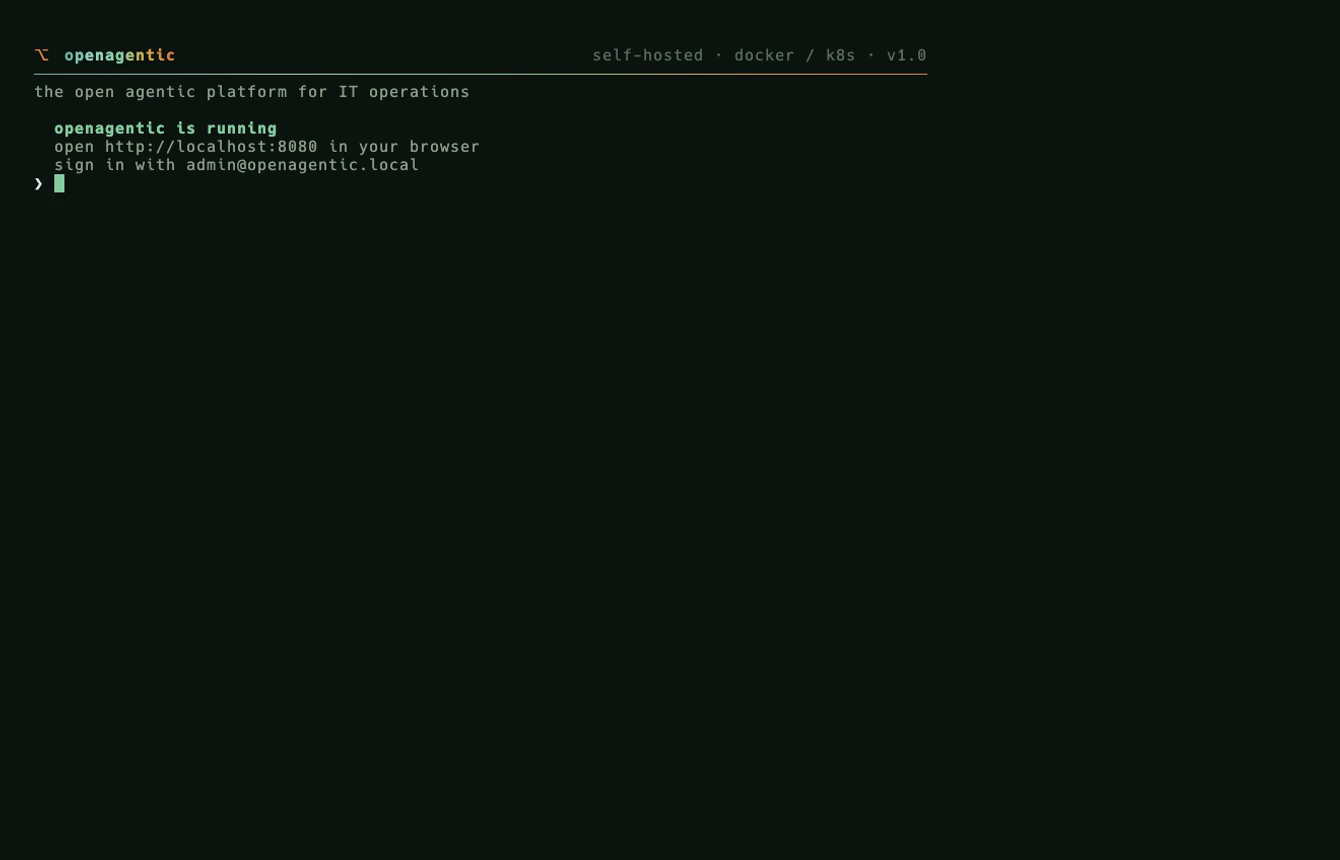
The install wizard — Docker Compose path, AWS Bedrock provider.
Install wizard: choose Docker Compose or Kubernetes
Deploy target.
Install wizard: AWS Bedrock IAM credentials, secret masked
Provider creds, masked.
Install wizard: choose which tools to enable
Tools.
Install wizard: the stack is up and the wizard hands you the URL
Up — it hands you the URL.
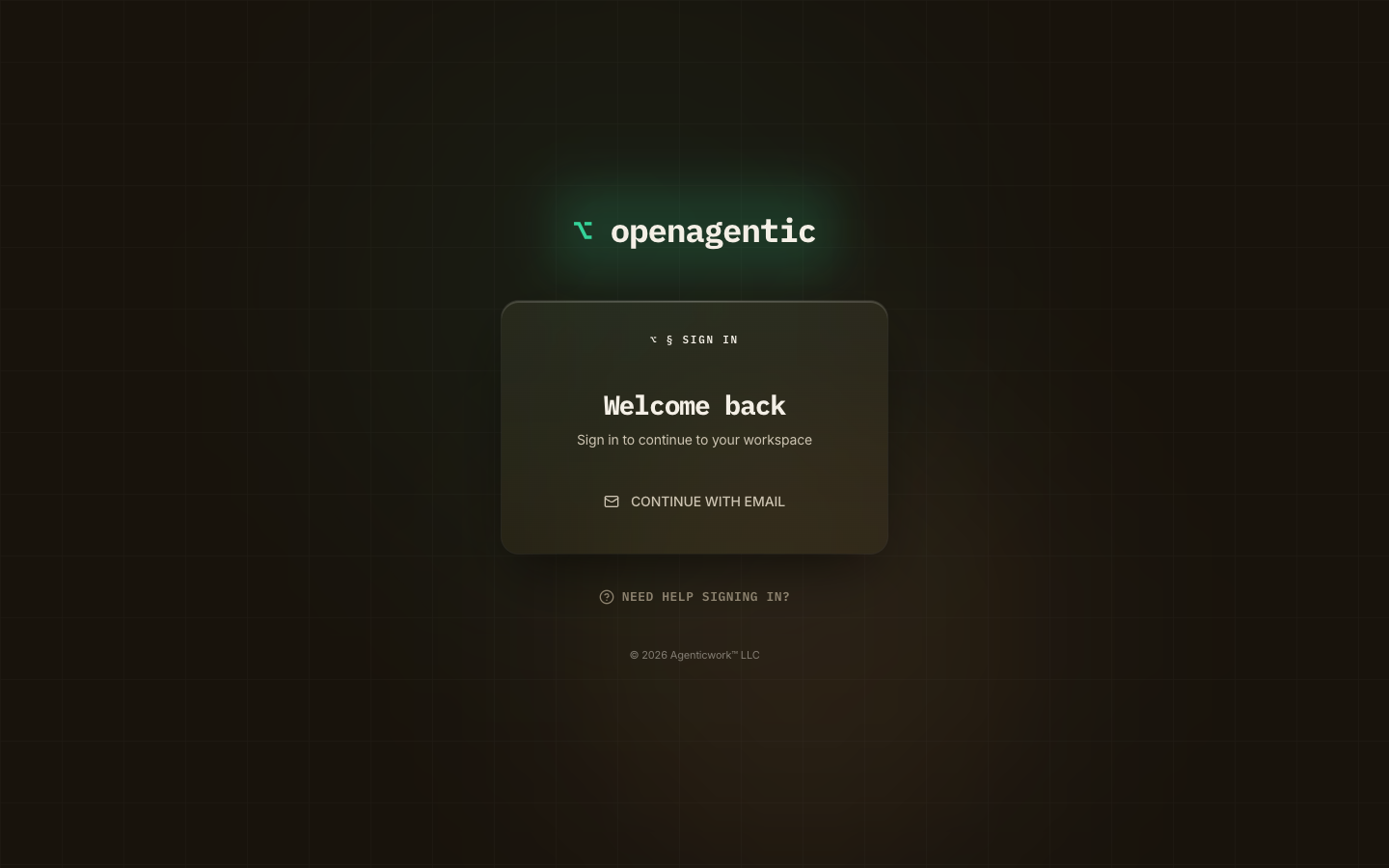
The OpenAgentic sign-in screen on the running deploy
Sign in.

Docker Compose — the whole stack on one box

The running stack — docker compose ps, health, logs, then an admin API key creating a flow. A real session.
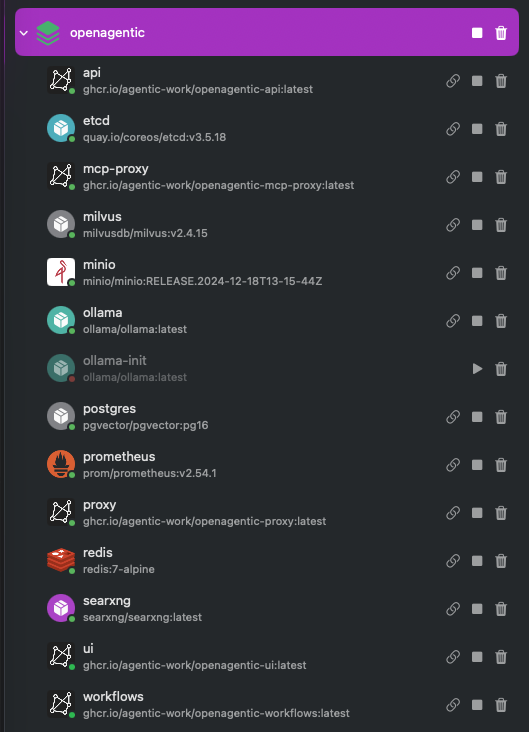
The full openagentic Docker Compose stack running, every service healthy
The whole stack, up.
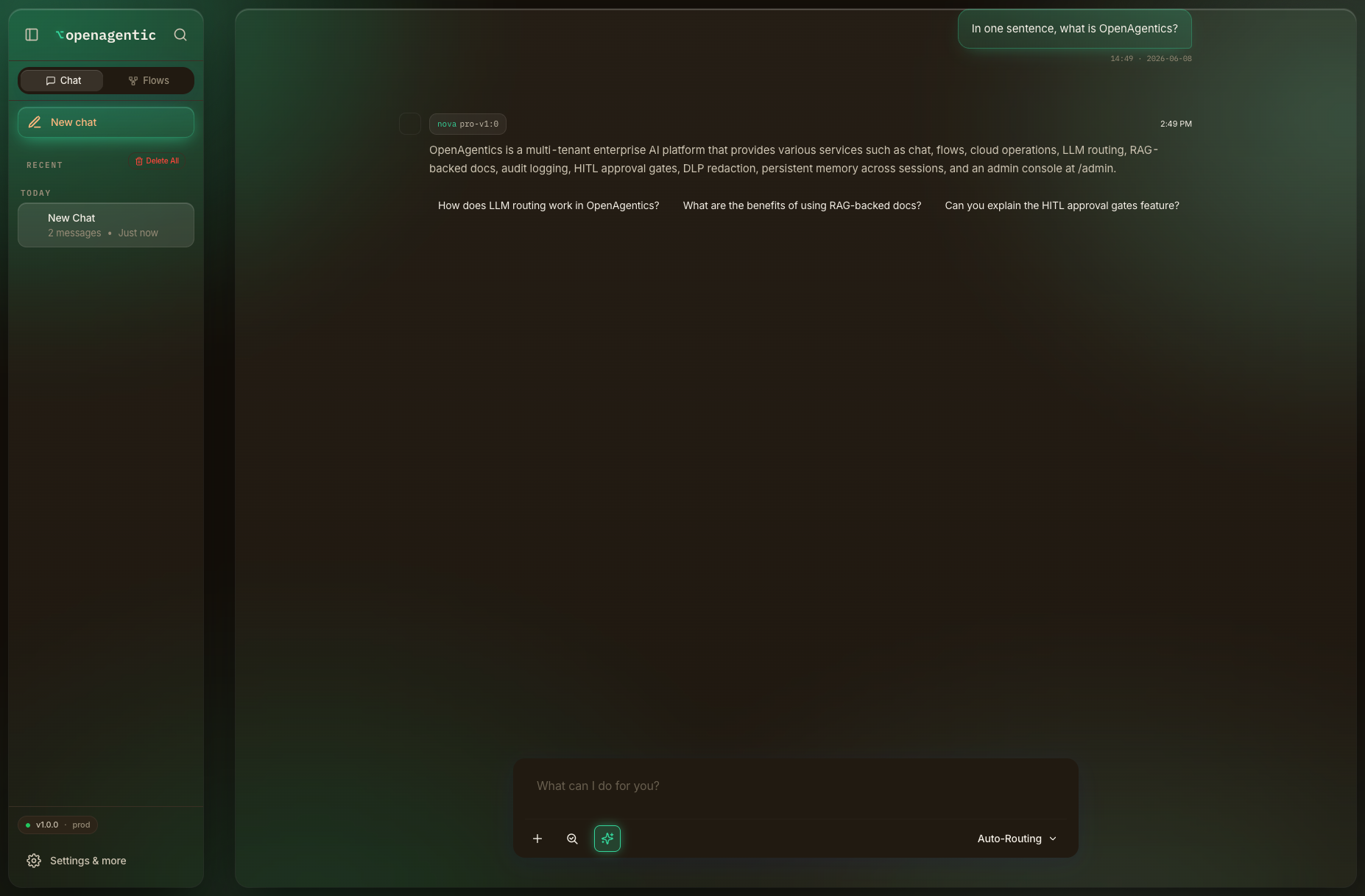
OpenAgentic chat answering via AWS Bedrock, running locally in Compose
Chat, on your own keys.
A tool executing inside the local Compose stack
A real tool executing.

Kubernetes — your cluster, live

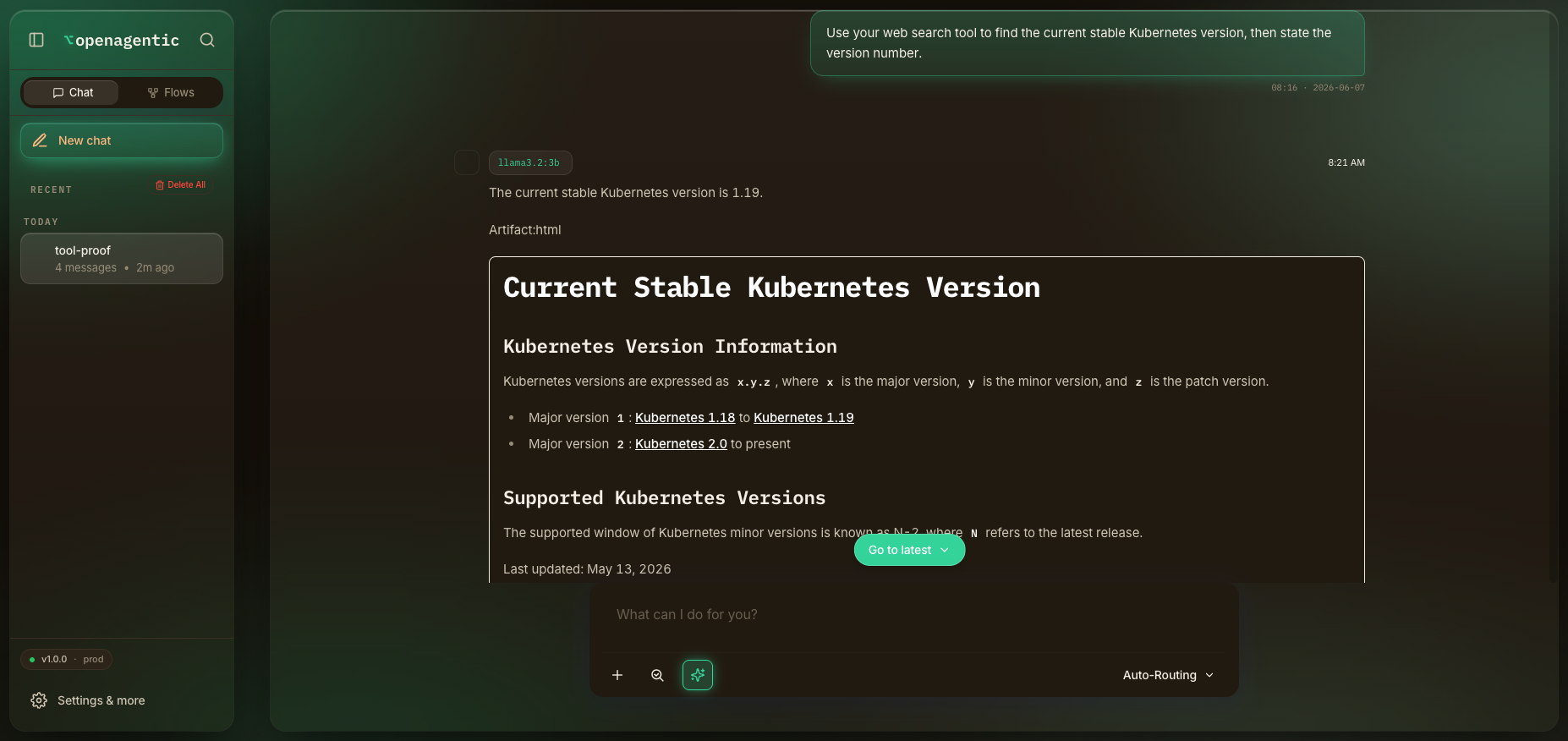
kubectl get pods — 12/12 Running — ingress, logs, then an admin API key creating a flow and a Bedrock chat session. A real session on the cluster.
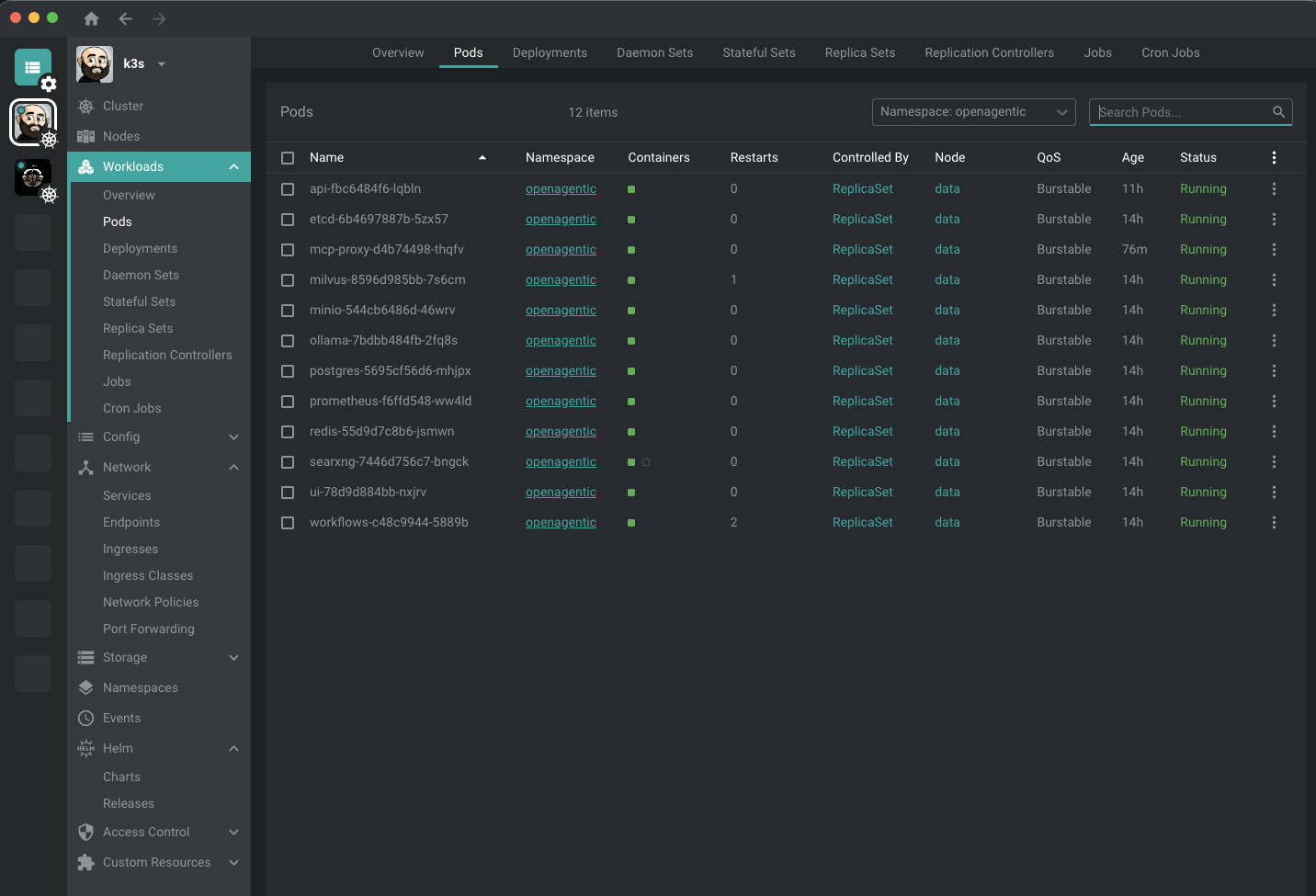
The Kubernetes Lens dashboard showing every OpenAgentic pod Running in the openagentic namespace on the live cluster
Every pod Running in the openagentic namespace.
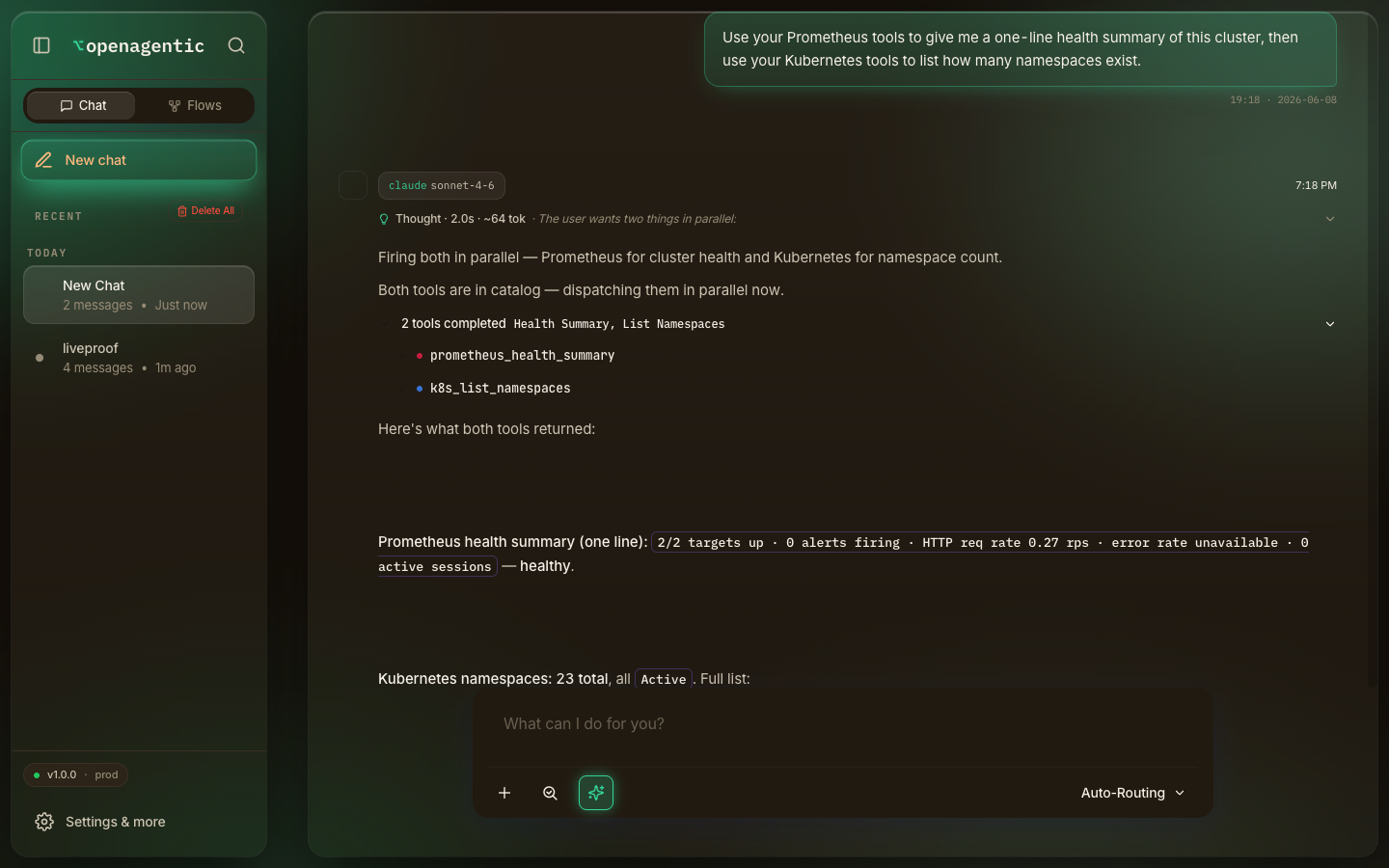
OpenAgentic chat dispatching the Prometheus and Kubernetes tools in parallel against the live cluster
Two tools, one prompt — the agent operating its own cluster.
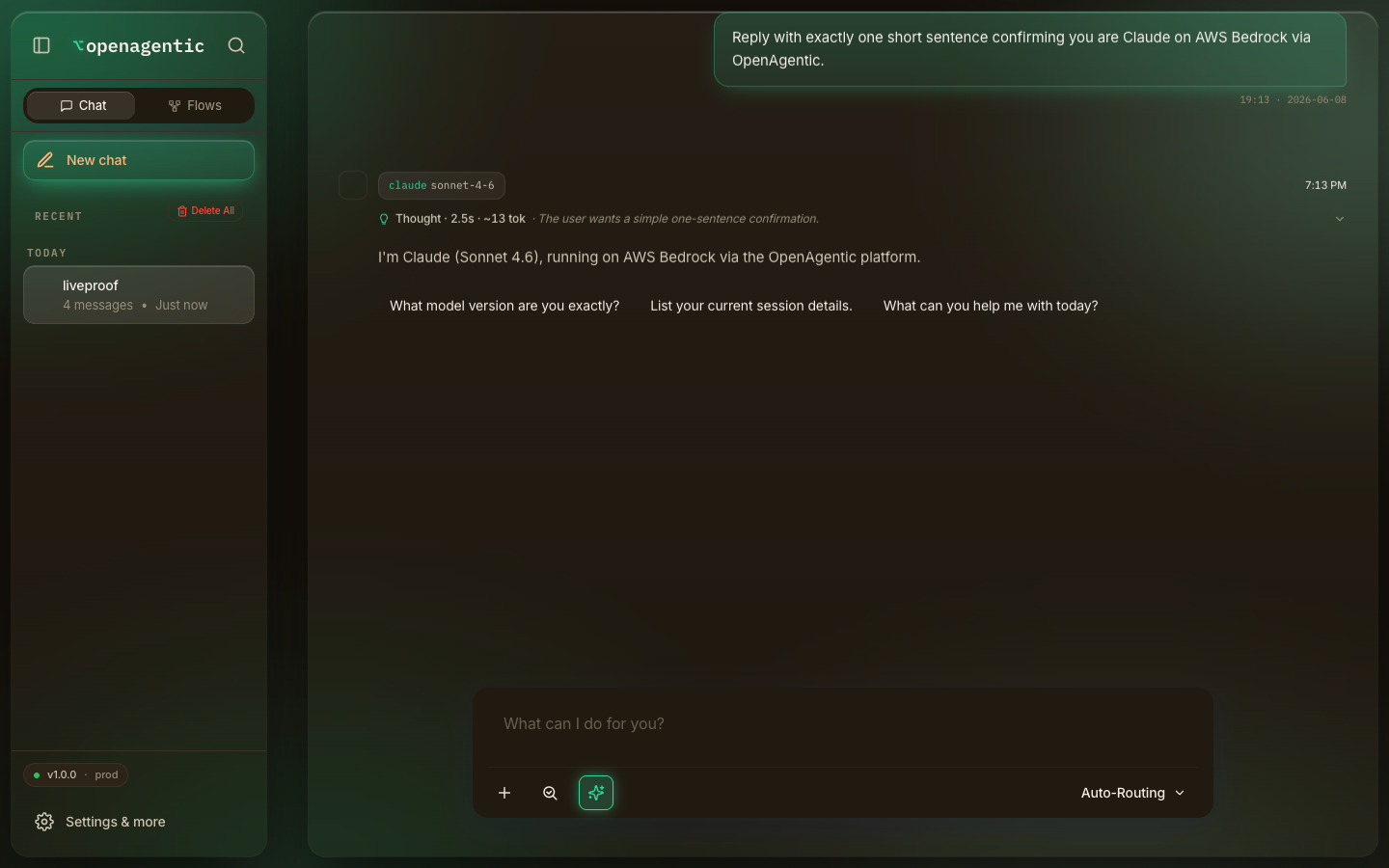
OpenAgentic chat answering on AWS Bedrock Claude Sonnet 4.6 with an extended-thinking block
Chat on AWS Bedrock, embeddings on in-cluster Ollama.

Admin console — operate the platform itself

One console governs the whole platform — providers, models, routing, agents, tools, identity, and the audit chain. Every panel writes to the database, not a config file you redeploy.

Providers & models

Register Ollama · Bedrock · Vertex · Azure · OpenAI; assign a model per capability (chat, embed, image) with capability flags. llm_providers

Routing & tuning

Set the SmartModelRouter thresholds, the chat-loop turn ceiling, token budgets, and compaction points — live. system_configuration

Agents & tools

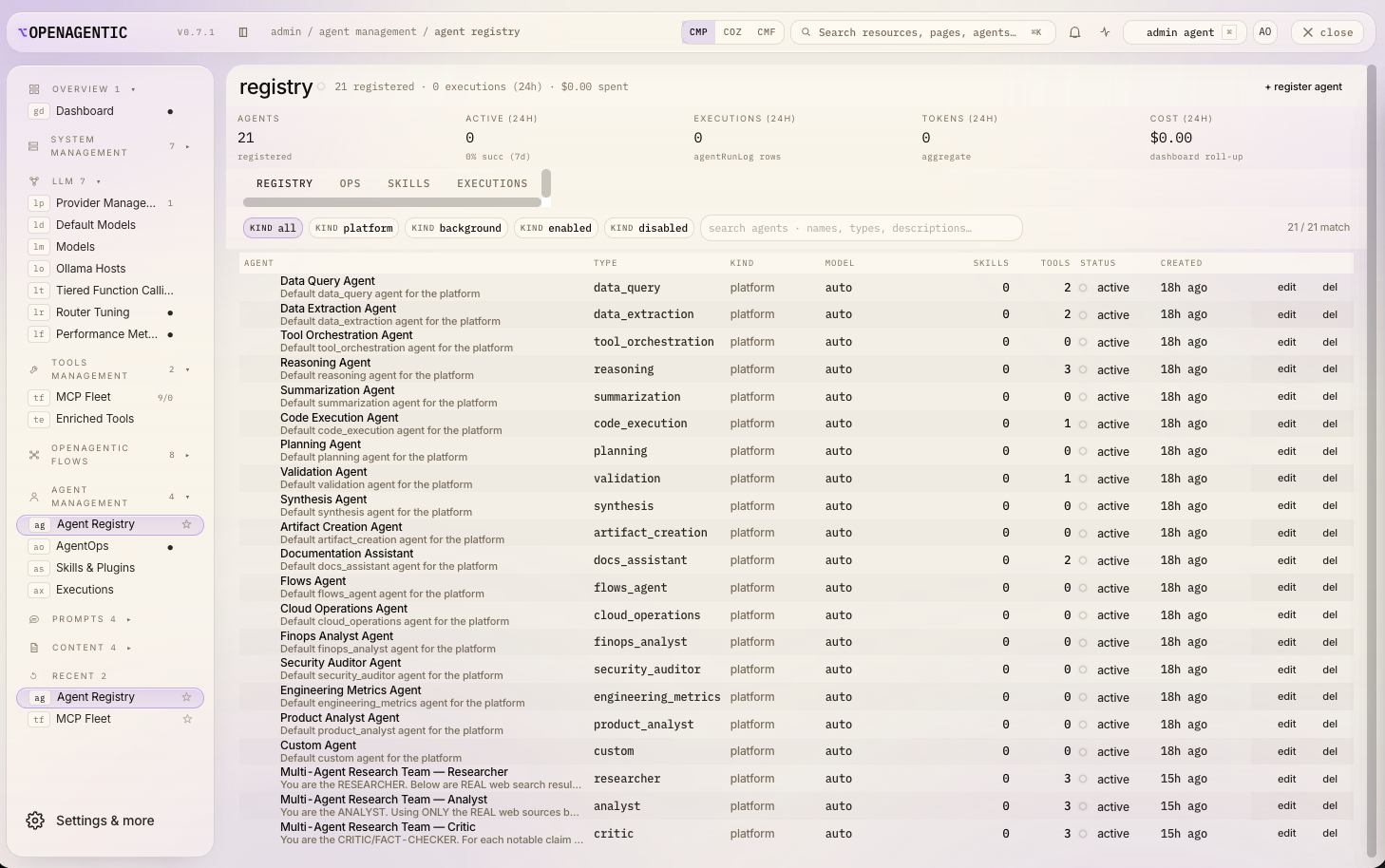
The agent roster (role · provider · model) and the full tool fleet, each with its capabilities — enable, scope, inspect.

RBAC & permissions

Roles and per-role permissions decide who can run what, gating every tool call by the local account's role. (Per-user SSO/OBO identity is an enterprise feature.) rbac

Audit chain

Every tool call lands in an append-only, tamper-evident log — who, what, when, and the result. tool_call_audit_log

Built-in assistant

An in-console assistant that advises on model cost/quality tuning and explains what each setting changes.
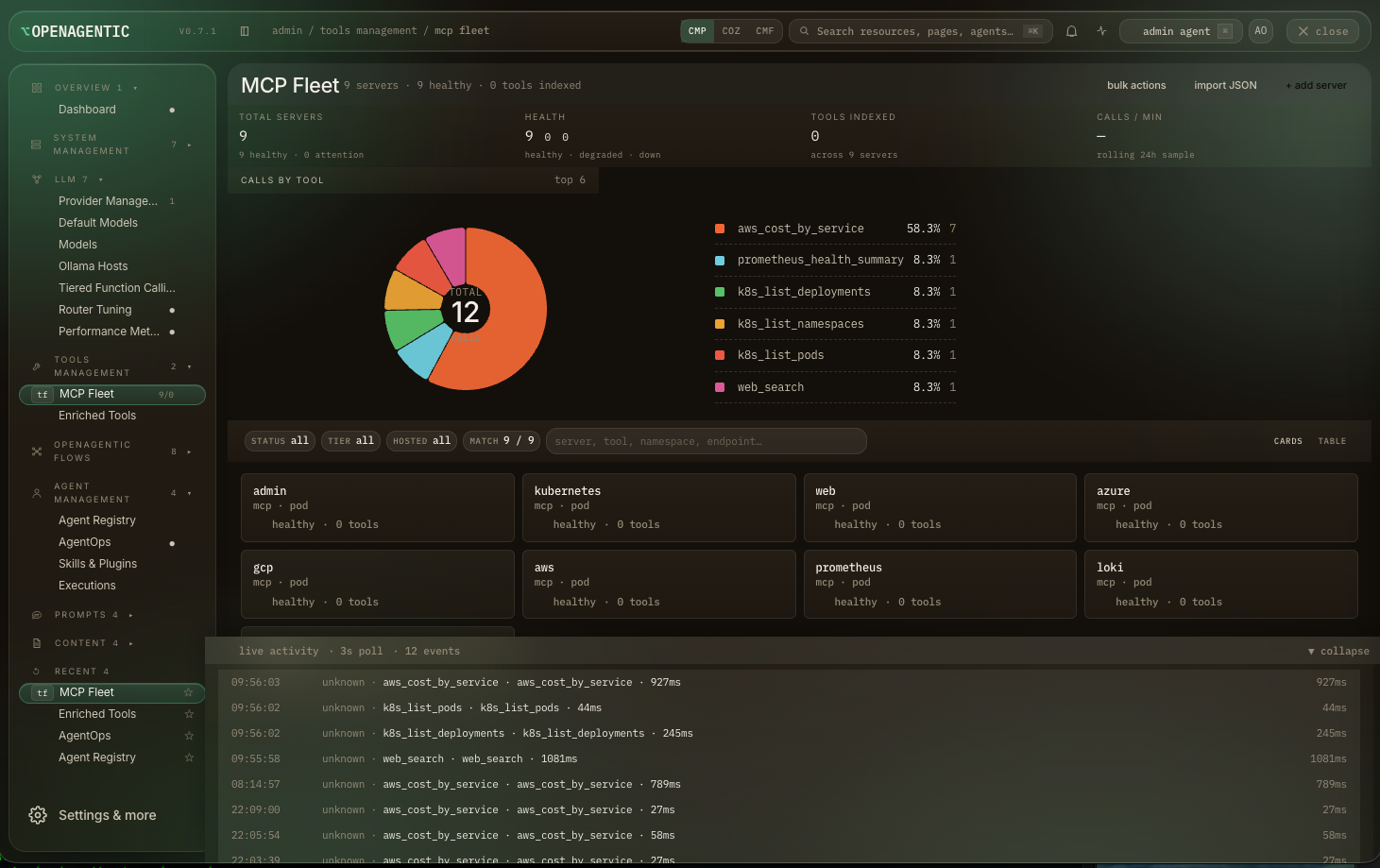
The admin console tool dashboard: every bundled tool with its capabilities
The tool fleet — every bundled tool, with its capabilities.
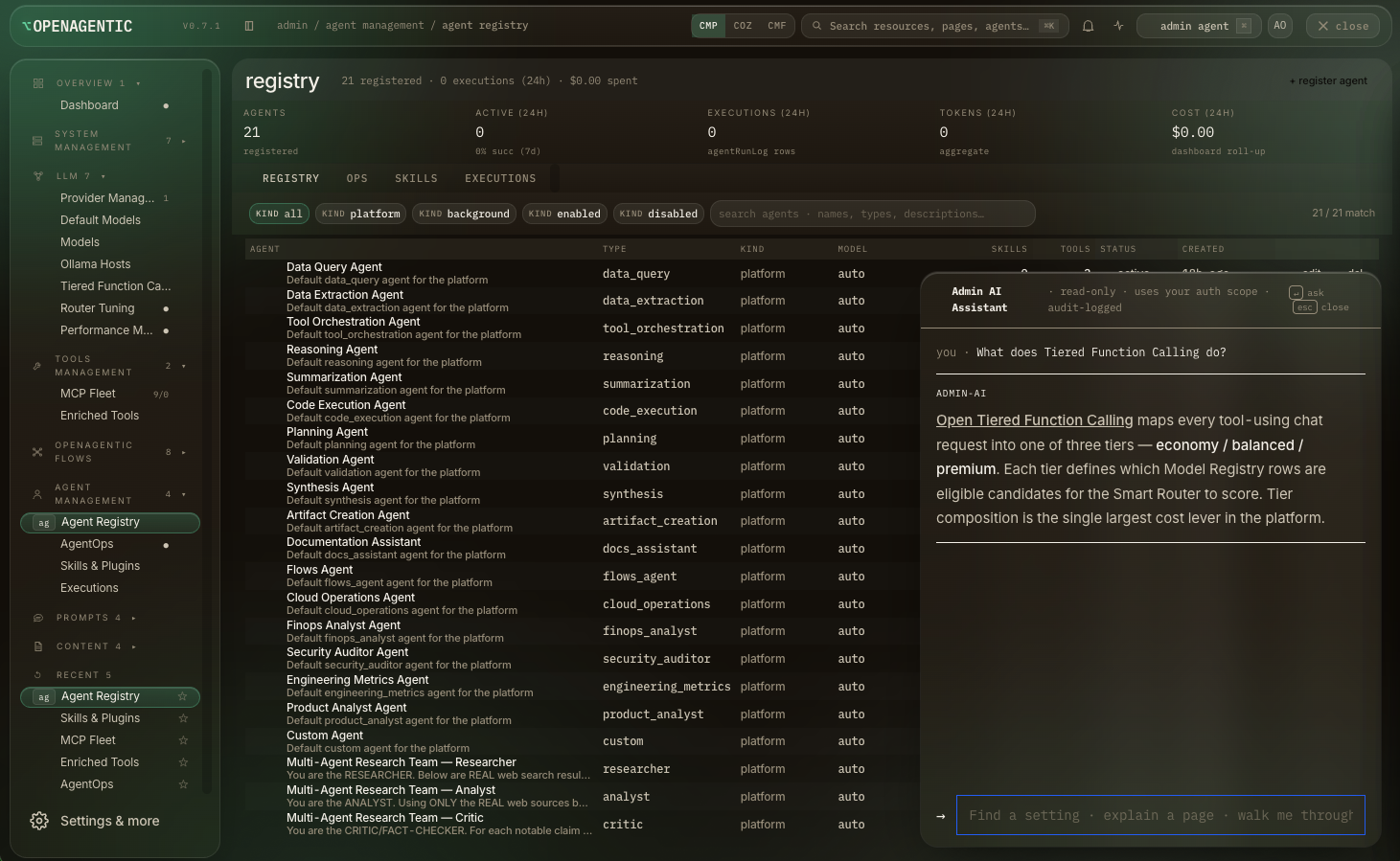
The admin console Agent Registry: the full roster of agents with their roles, providers, and models
Agent registry.
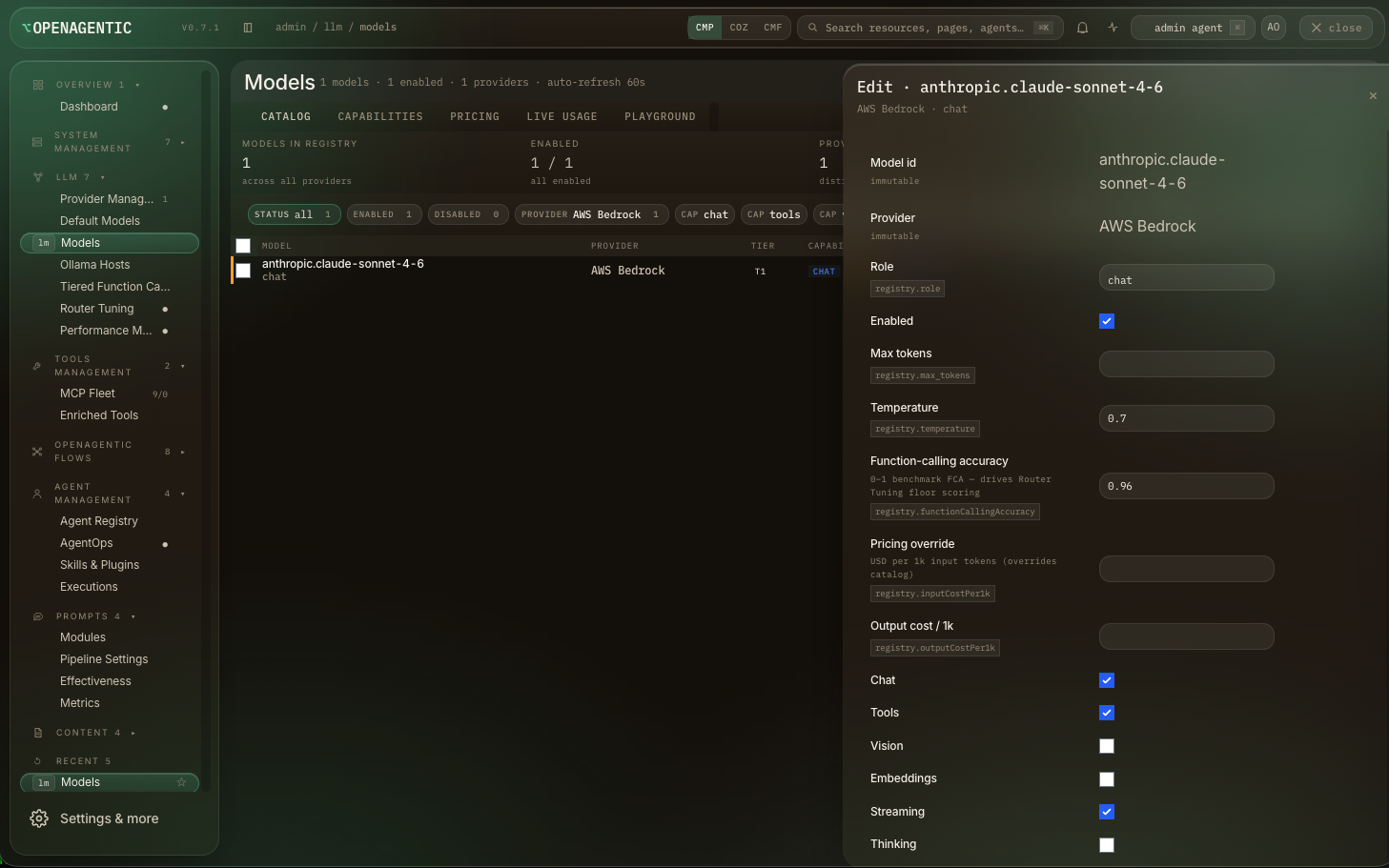
The admin console Models manager editing a Claude Sonnet 4.6 model on AWS Bedrock with capability toggles
Model registry + capability flags.
The admin console with the built-in assistant advising on model cost tuning
Built-in tuning assistant.

Cloud & tools — it operates your stack
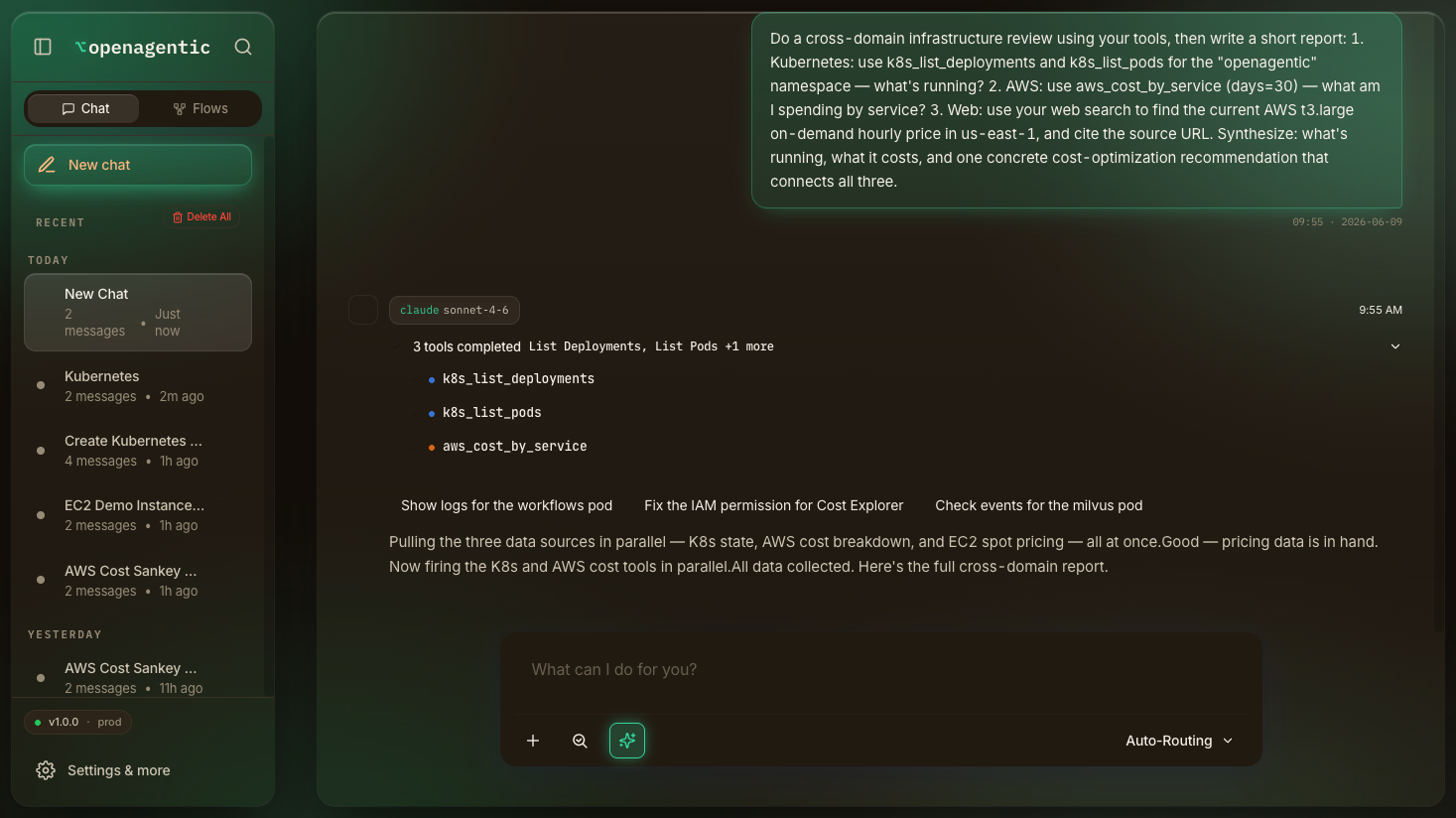
OpenAgentics agent running three tools in parallel for a cross-domain review
Kubernetes + AWS + web, fired in parallel.
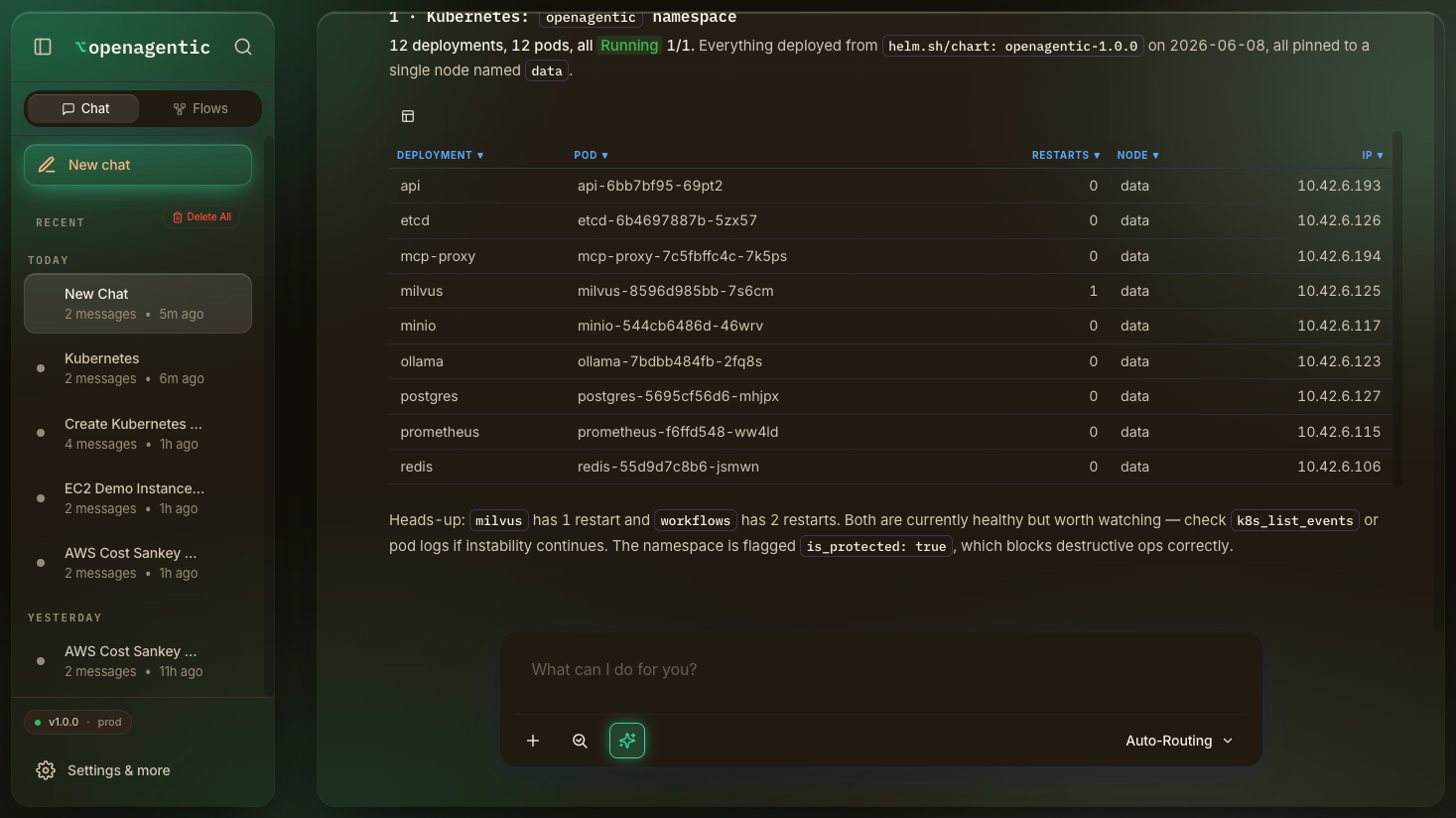
The agent's Kubernetes findings: a real table of deployments and pods all Running
Real cluster state, in a table.
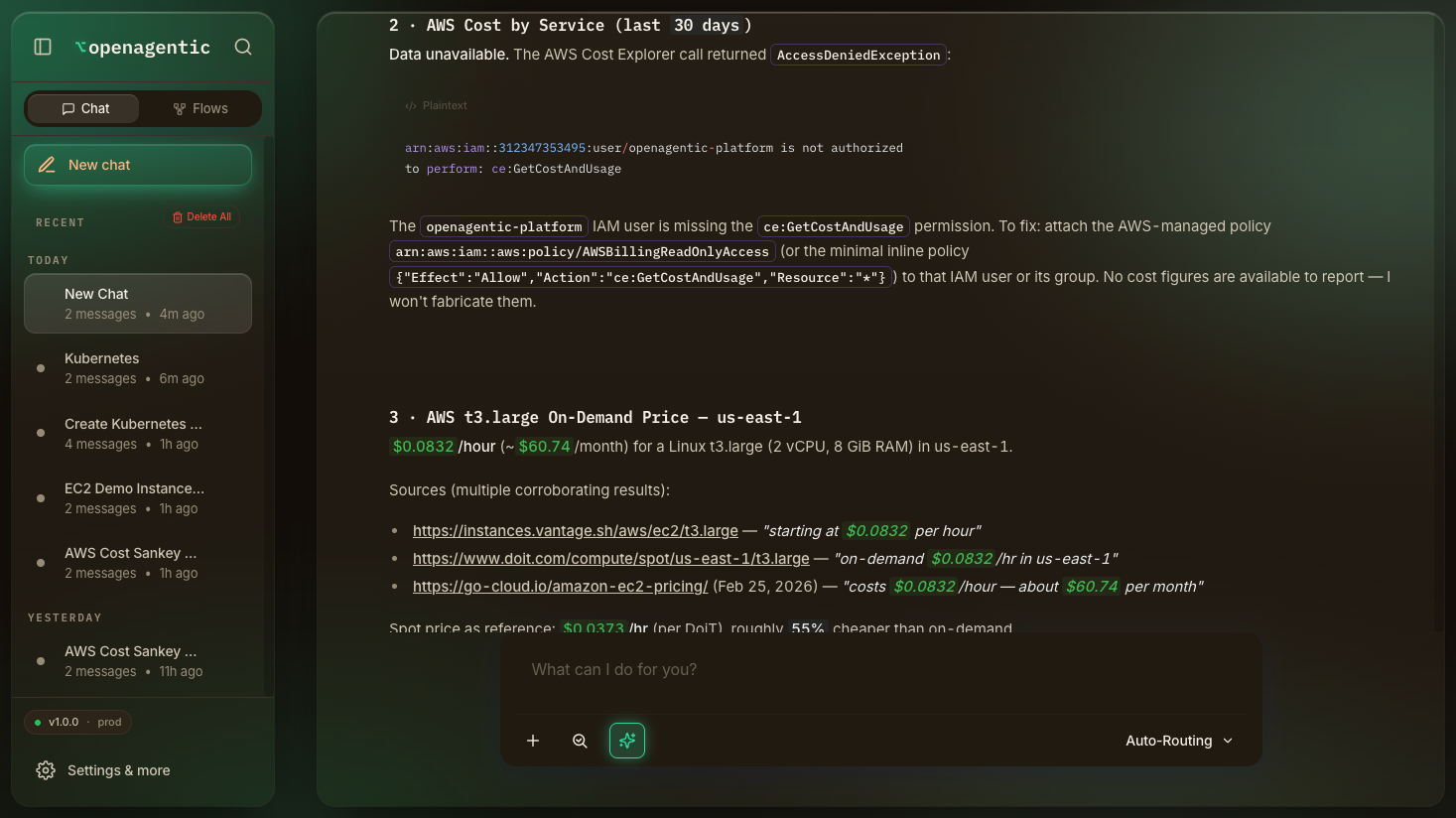
The agent's synthesized report: real AWS spend by service and live pricing with cited web sources
Cited cost report — real spend + live prices.
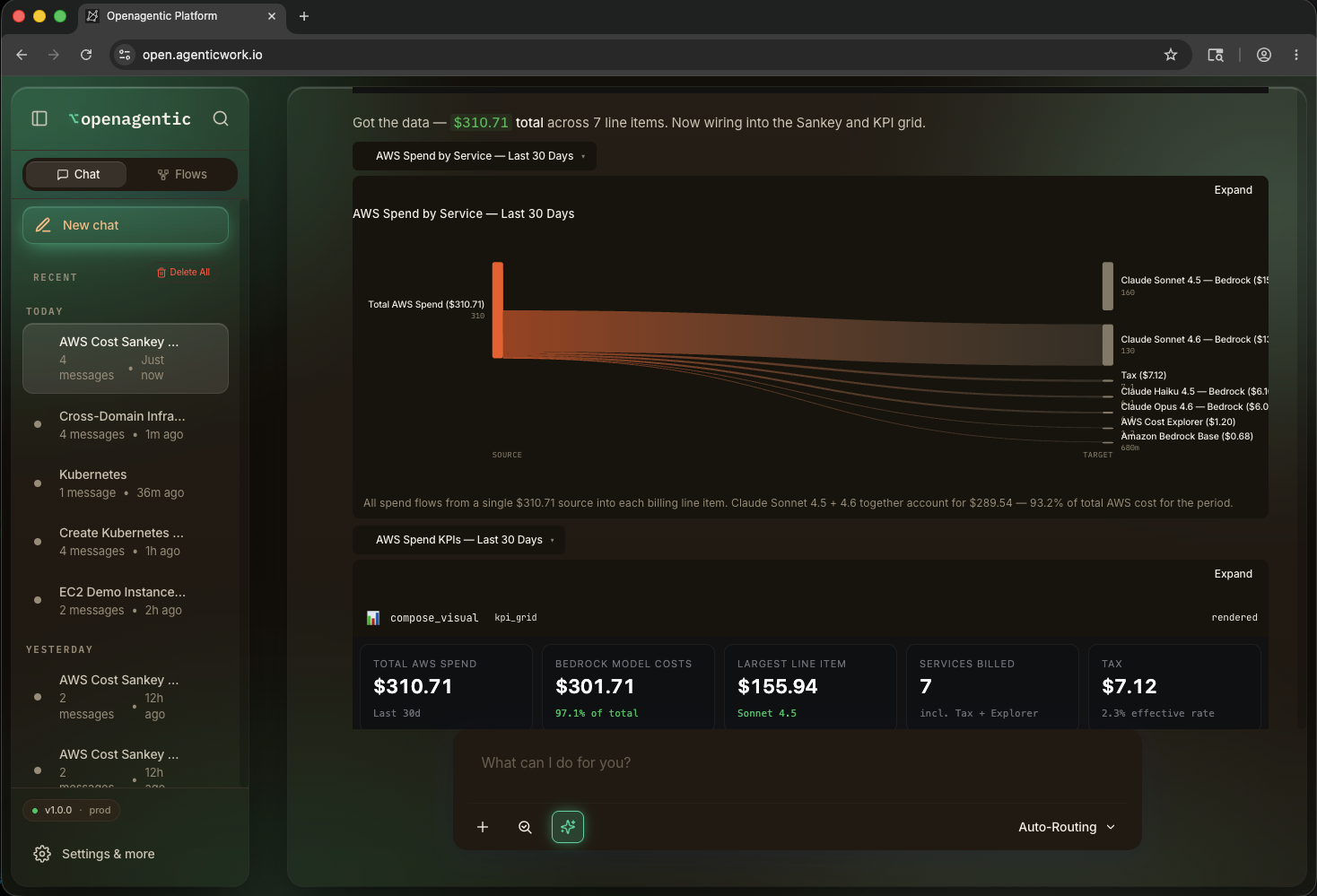
OpenAgentic chat pulling real AWS spend via the AWS tool and rendering a Sankey cost-flow diagram
Real Cost Explorer data → live Sankey + KPI dashboard.
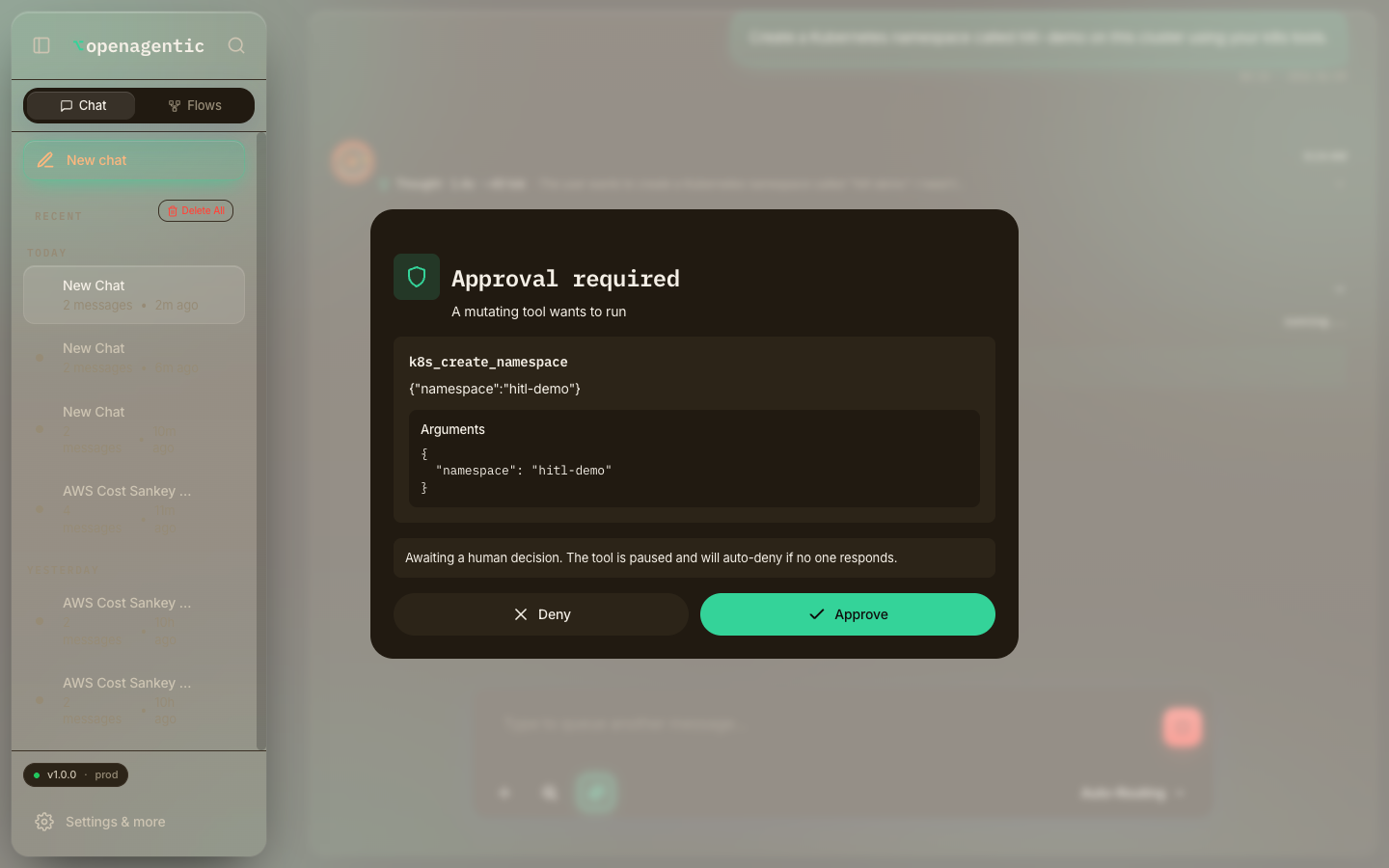
OpenAgentics human-in-the-loop approval modal pausing a mutating tool call
Human-in-the-loop — mutating calls wait for Approve / Deny.

Flows — a no-code builder, extensible
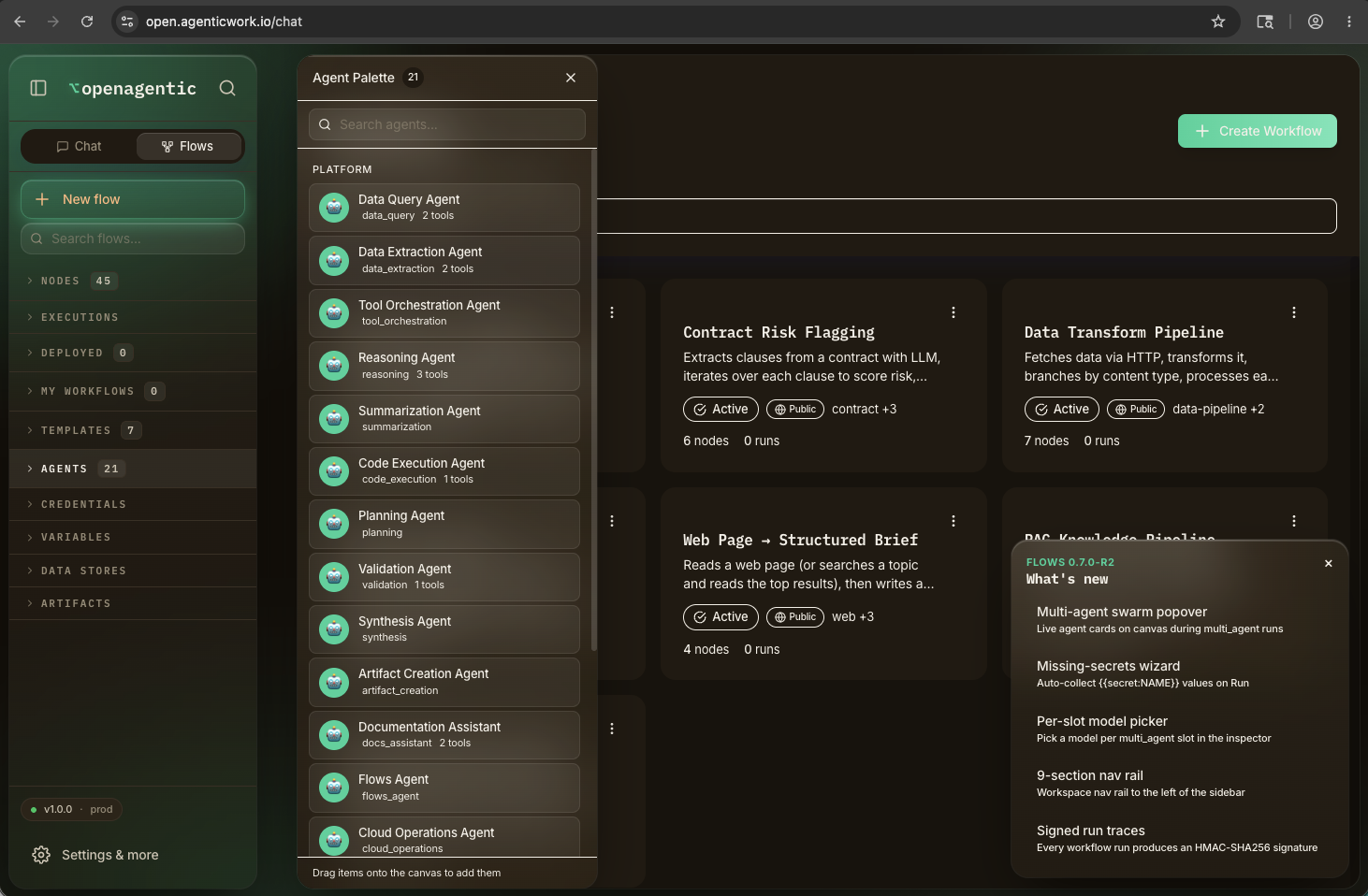
OpenAgentics Flows: the visual workflow builder with a palette of agents and ready-made templates
The Flows builder — agents, templates, drag and wire.
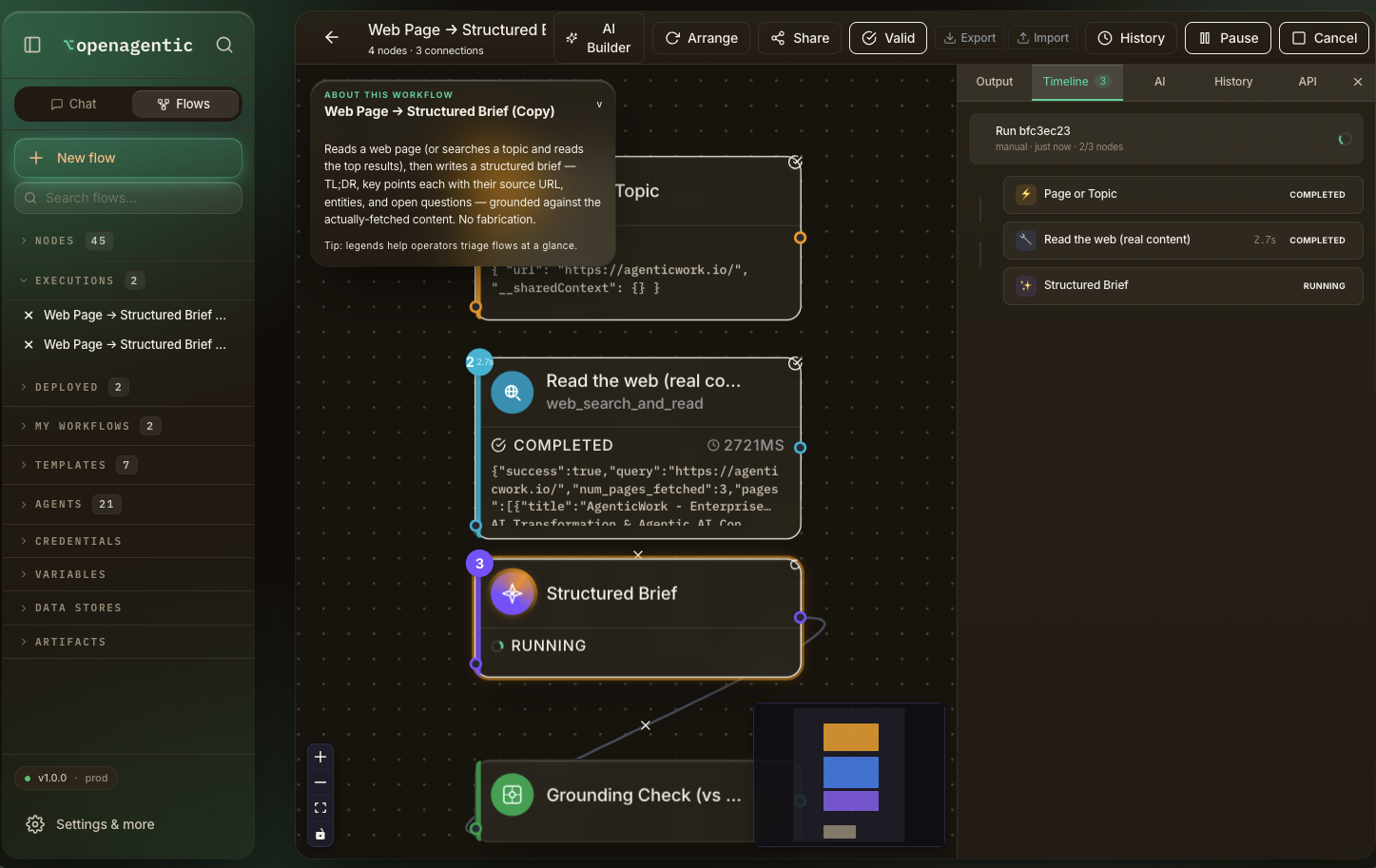
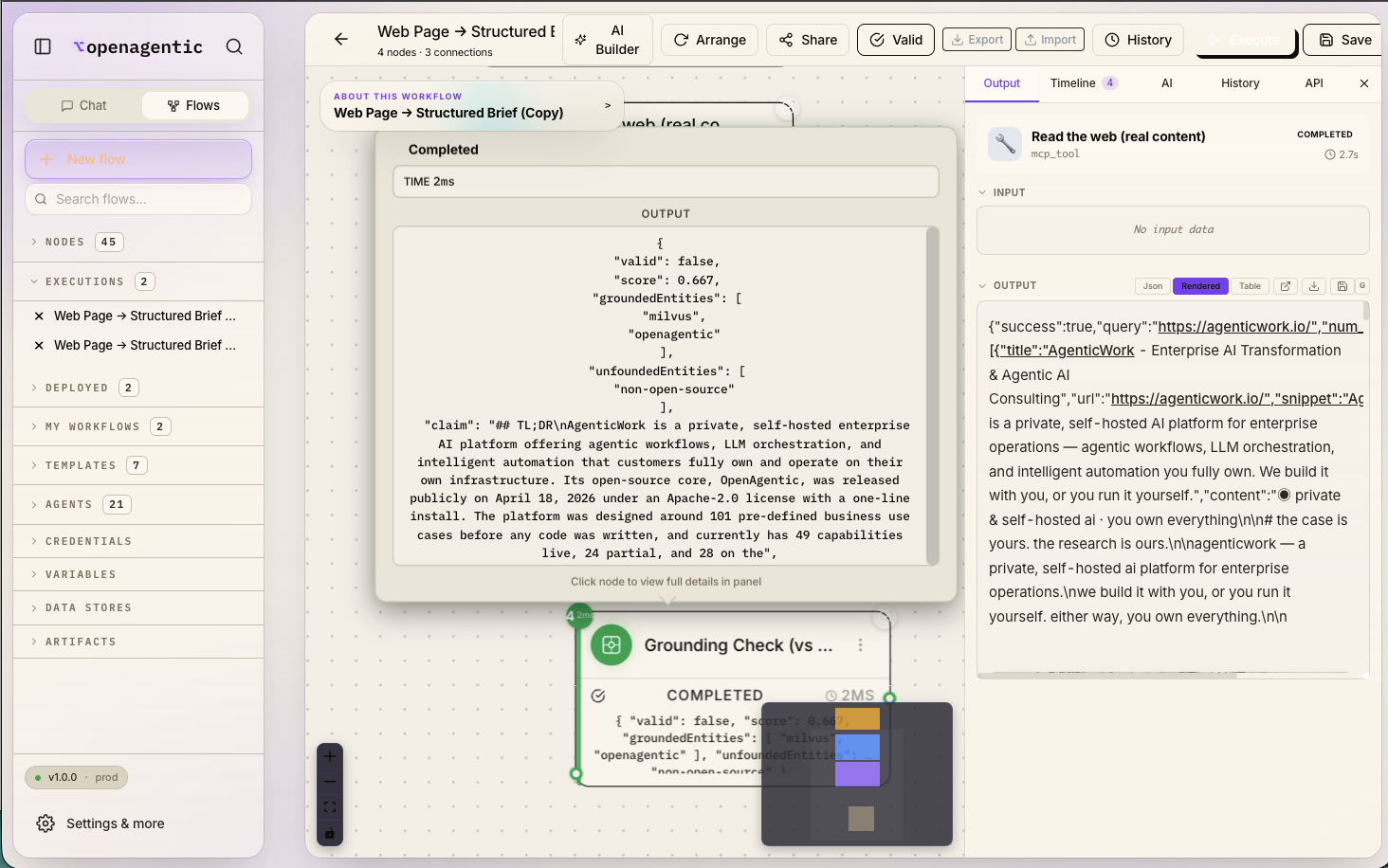
A flow executing — the web-read node completed, the Structured Brief node running
Running.
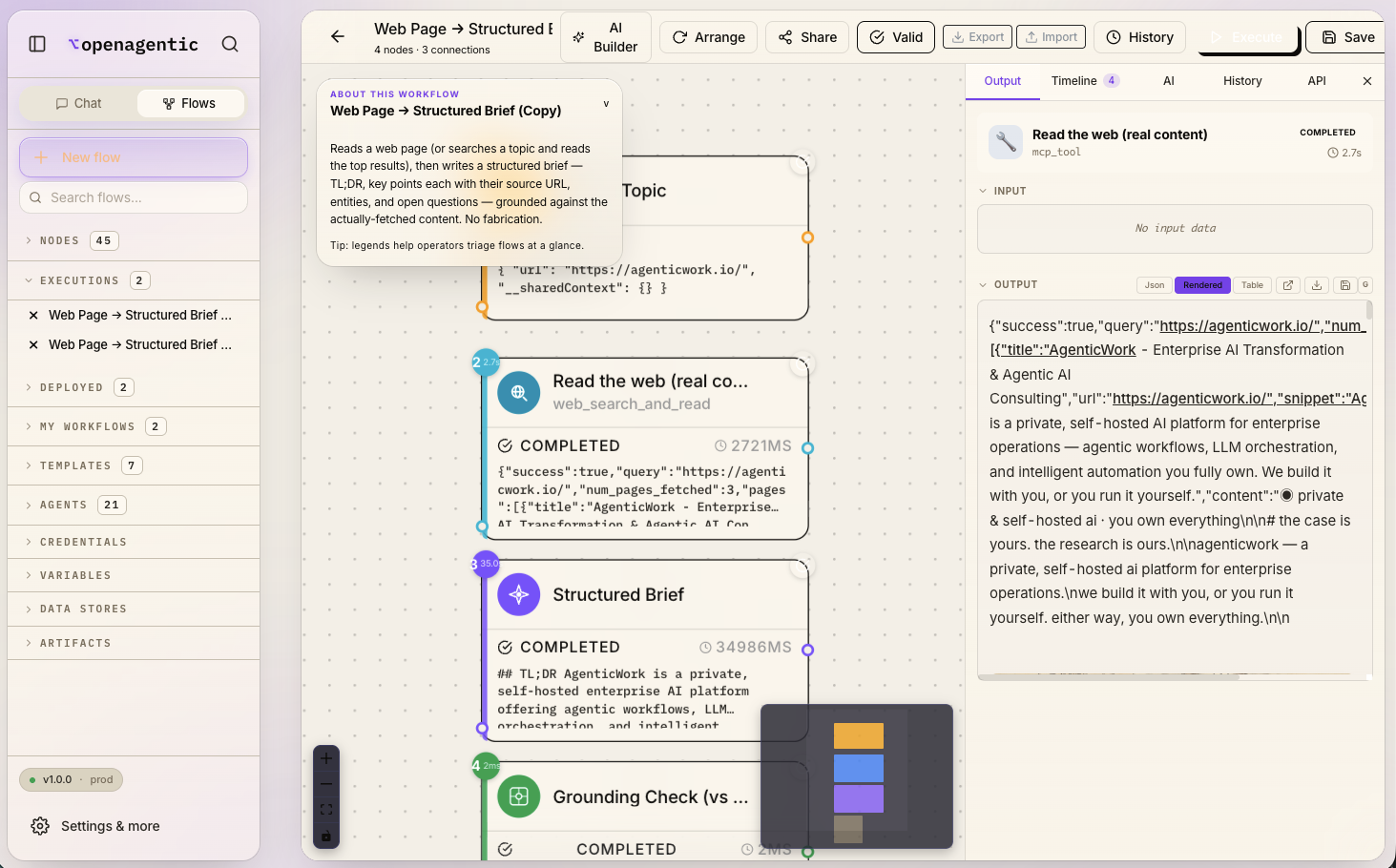
The flow completed — every node green, the structured brief streamed into the output panel
Completed — grounded output.
The flow's final structured-brief JSON output with TL;DR, key points, entities and open questions
The structured brief, cited.
  • LangGraph
  • LangChain
  • n8n import / export
  • Flowise compatible
  • Signed run traces
  • Human-in-the-loop gates

Code — your repos, your IDE, your way

No plugin to install, no editor to marry. OpenAgentic reaches into your real repositories through the GitHub tool — under your own token and projects — so it works in and with the code you already have, while you keep whatever IDE you already use.

A built-in code-execution sub-agent runs generated scripts in a sandbox to compute, transform, and verify inline — behind the same approval gate and audit log as any other action. See Code & repos in the docs. (The desktop Gnomus Code apps and Gnomus Synth on-the-fly tool synthesis are AgenticWork products, not part of the open-source edition.)